The web player version will be back for Alpha 3.
But Just in time for this month’s OneGameAMonth!
Alpha2 of Blood Soaked Deadly Dungeons of DOOM!
The web player version will be back for Alpha 3.
But Just in time for this month’s OneGameAMonth!
Alpha2 of Blood Soaked Deadly Dungeons of DOOM!
Finally got some time to dev last friday and Made Progress(tm) since the week before was spent rebuilding the pc.
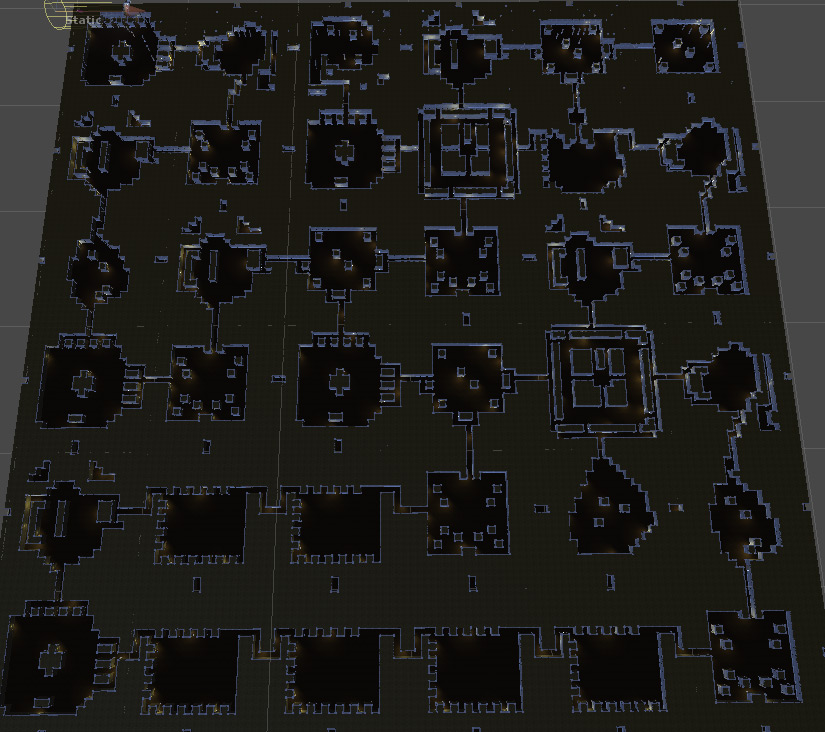
The Maze Generator works!
I’ll need to increase the internal branching, it’s a bit too linear right now but that’s just a variable that needs to be tweaked.
Rooms now get harder and harder, the further in you go. Next up is some minor UI tweaks and then a second enemy and that’s it for Milestone 2. Just a couple months behind schedule.. but that’s the way it goes on top of real job, consulting work, children and a house to maintain.
Ok so we’re going to go on pretending February didn’t exist at all and here we are at the beginning of milestone 2.
Good progress this week (ok it’s been 2 days, short week)
No new playable build for a bit, there’s just a lot of groundwork to do before any of this stuff pays off.
“Just what is the big push for Milestone 2” I hear you ask?
Full game map generation and room editor.
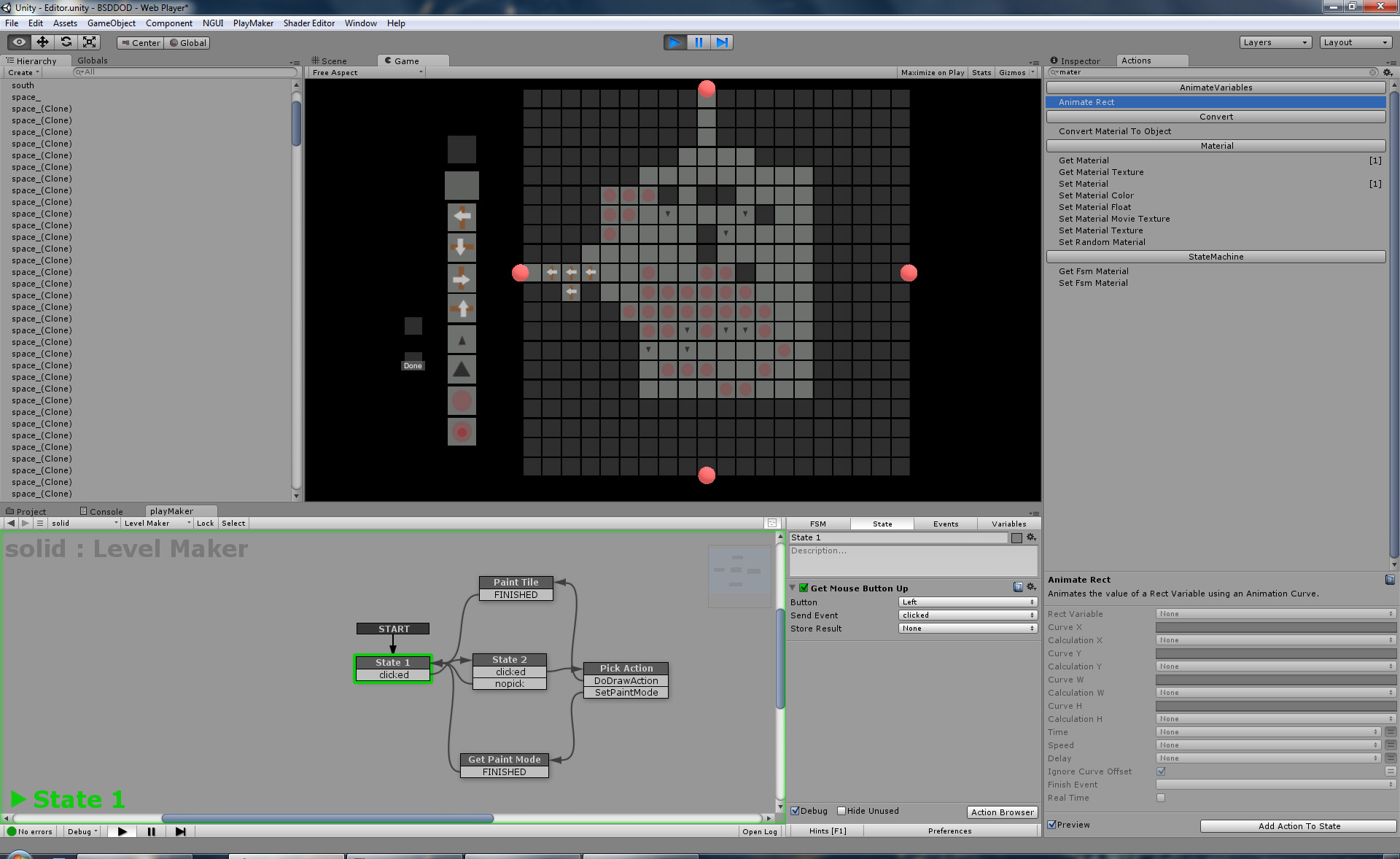
This week I think I’ve got the maze generator 90% of the way there, it’s now generating a maze and throwing in some internal extra branches because the basic depth first algorithm doesn’t have a lot of internal branches for smaller mazes like BSDDoD will be using.
And secondly
I’ve got a level editor 75% functional, still needs to write the output files and have some sort of load capability. But it draws the level and lets you select and fill tiles.
Getting closer to the end of milestone 1.
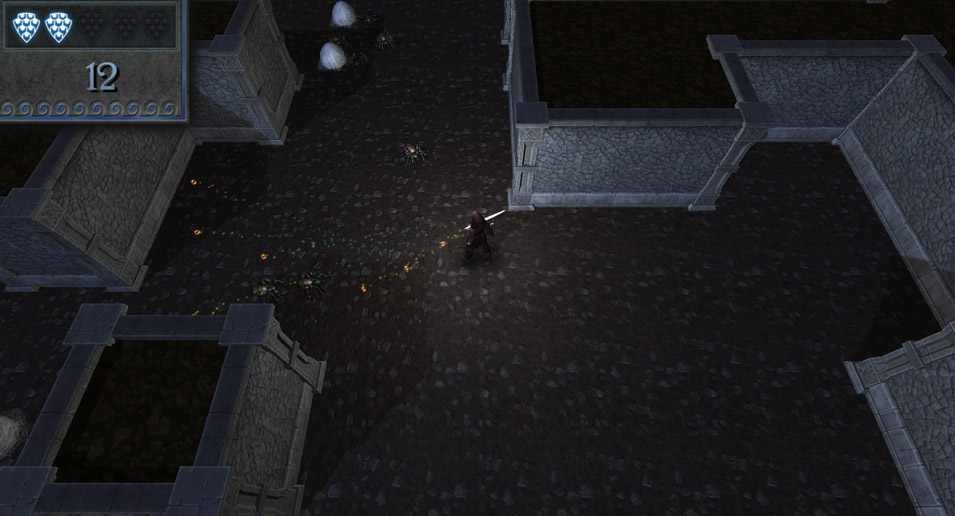
Lots of little details checked off, because I’m totally avoiding re-working the main character’s torso twist.
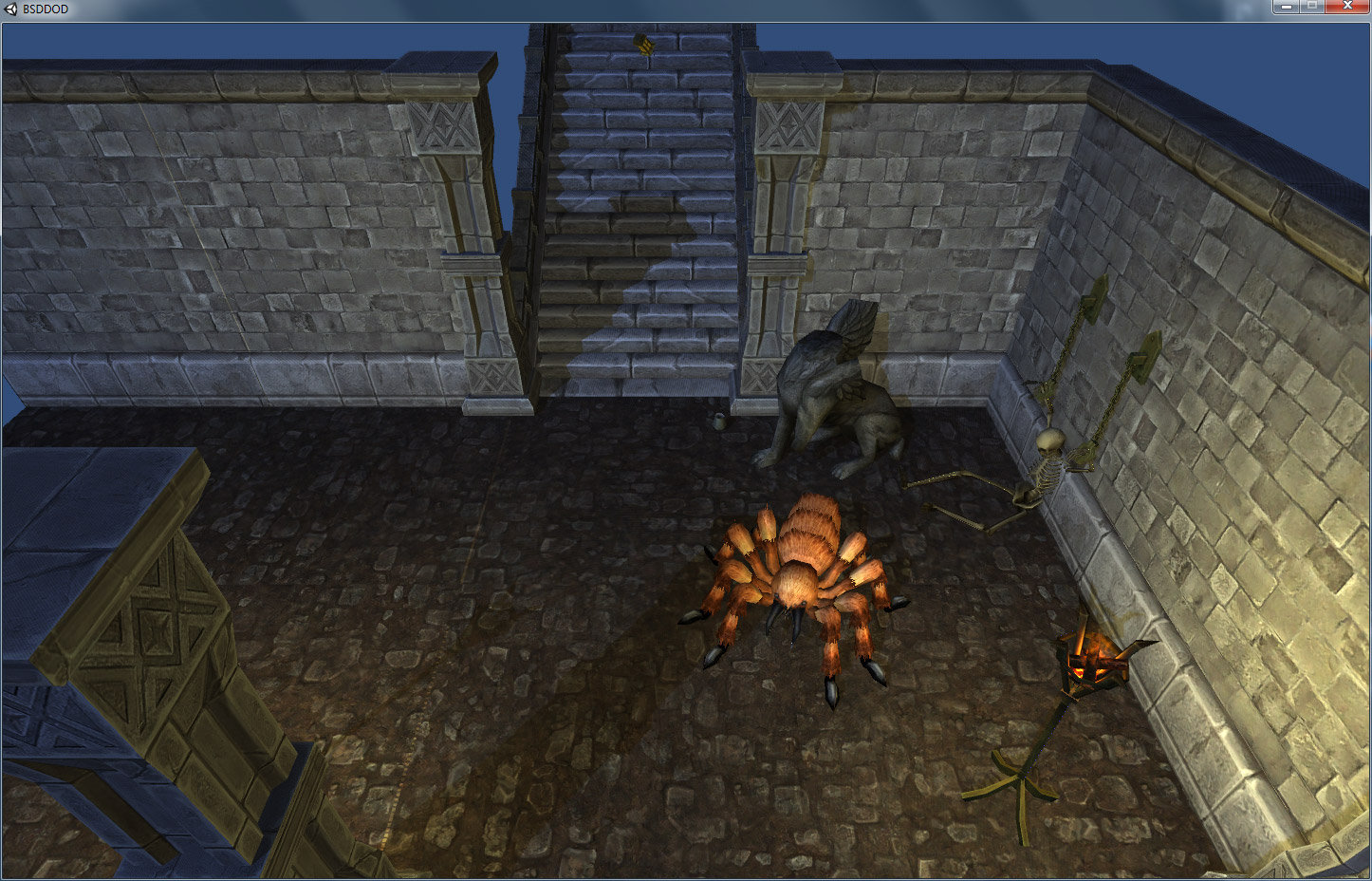
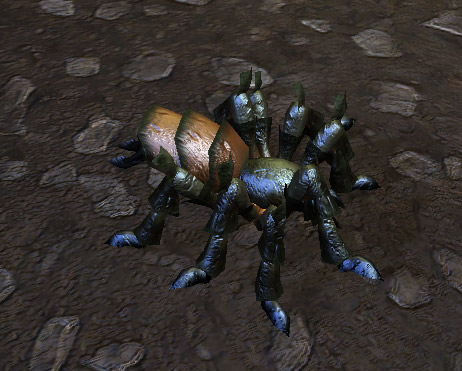 The biggest work went to the spiders, they got a re-skin to something more shiny, can now do a jump attack which makes them much more of a threat, and make a nice splattery sound when they die.
The UI got a couple minor tweaks and so the respawn counter now works, Still having some problems with the UI scaling seeming a bit odd but that’s not a critical feature.
Been playing with Shaderforge a bit but not having too much progress in getting a grasp on it. Other than that, Spent some time trying to get a better look and feel to the overall game. I added a player light and adjusted the global light to have bit of a different look and feel, but not quite what I’m looking for, but I think it’s a bit of an improvement.
Milestone 1 remaining features:
Only problem is that there’s no more weekends, so it might be a bit of a squeeze.
And here’s this week’s Playable Build:

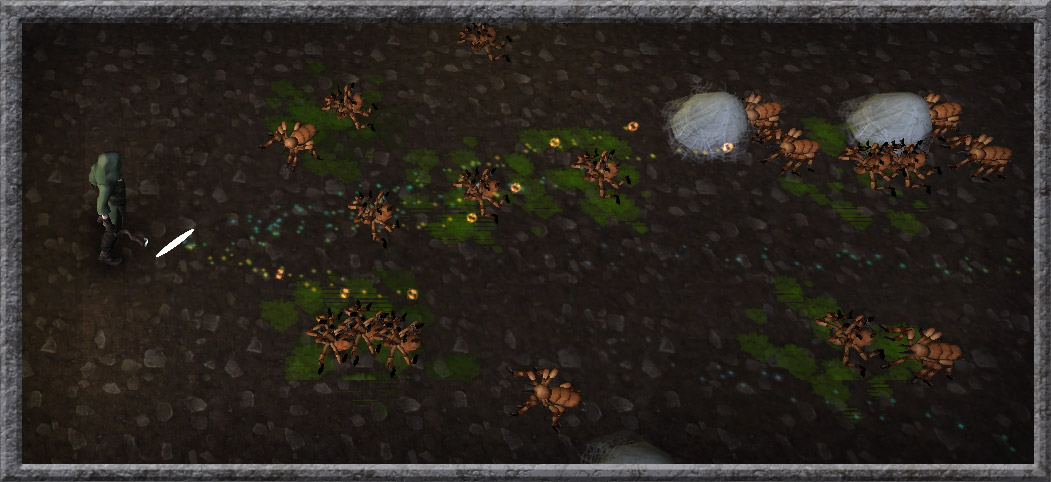
Things are going pretty well. The uncompleted ‘minimum required features’ list for the January Version is getting very small.
New stuff added this week:
Now as to sacrifice….
Well you get what you pay for… and that’s the problem with using Unity 3D free version… It’s looking like I really Really need deferred lighting to make the wiz-bang light effects on the wizard’s magic bolts. In Unity Free I can only force a small number of lights to be precise. after a few they default to vertex lighting, which causes the odd lighting issues on the floor that we saw in last week’s build.
So, I had to remove the lights. and am replacing them with some particles effects for now. Maybe someday the $1,500 unity pro fee will be accessible to me but for now it’s utterly beyond my budget. (There is the 75/mo option, but even that seems excessive.. and at month 13, you don’t own anything unless you keep paying.)
So far that’s the biggest hurdle that I’m running into, but no doubt there’s going to be more design sacrifices due to inaccessible features.
Which leads to the surprise of the week.
Well… surprise for me.. nothing in-game yet… but Shader Forge came out which promises to have all sorts of benefits as soon as I figure out how to fully take advantage of it. (In related news… I don’t ‘get’ shaders yet… working on it..)
Well here we are, week 2. Not a bad week, progress wise, but never as good as I’d have liked..
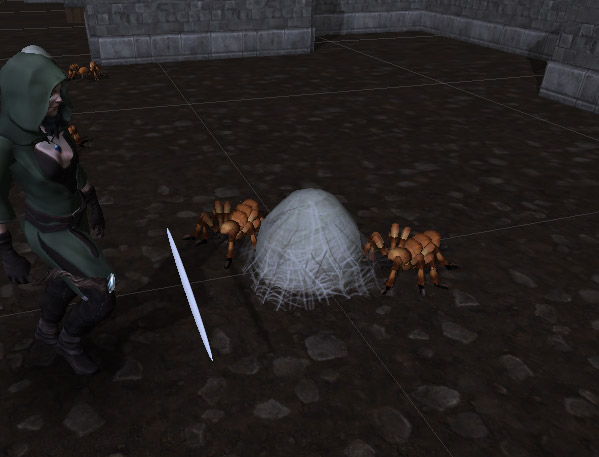
This week I started cracking my head into the interface that is Blender, and walked away with a simple eggsack model to be used as a spider spawner (pictured below). Maybe next week I can make it move.
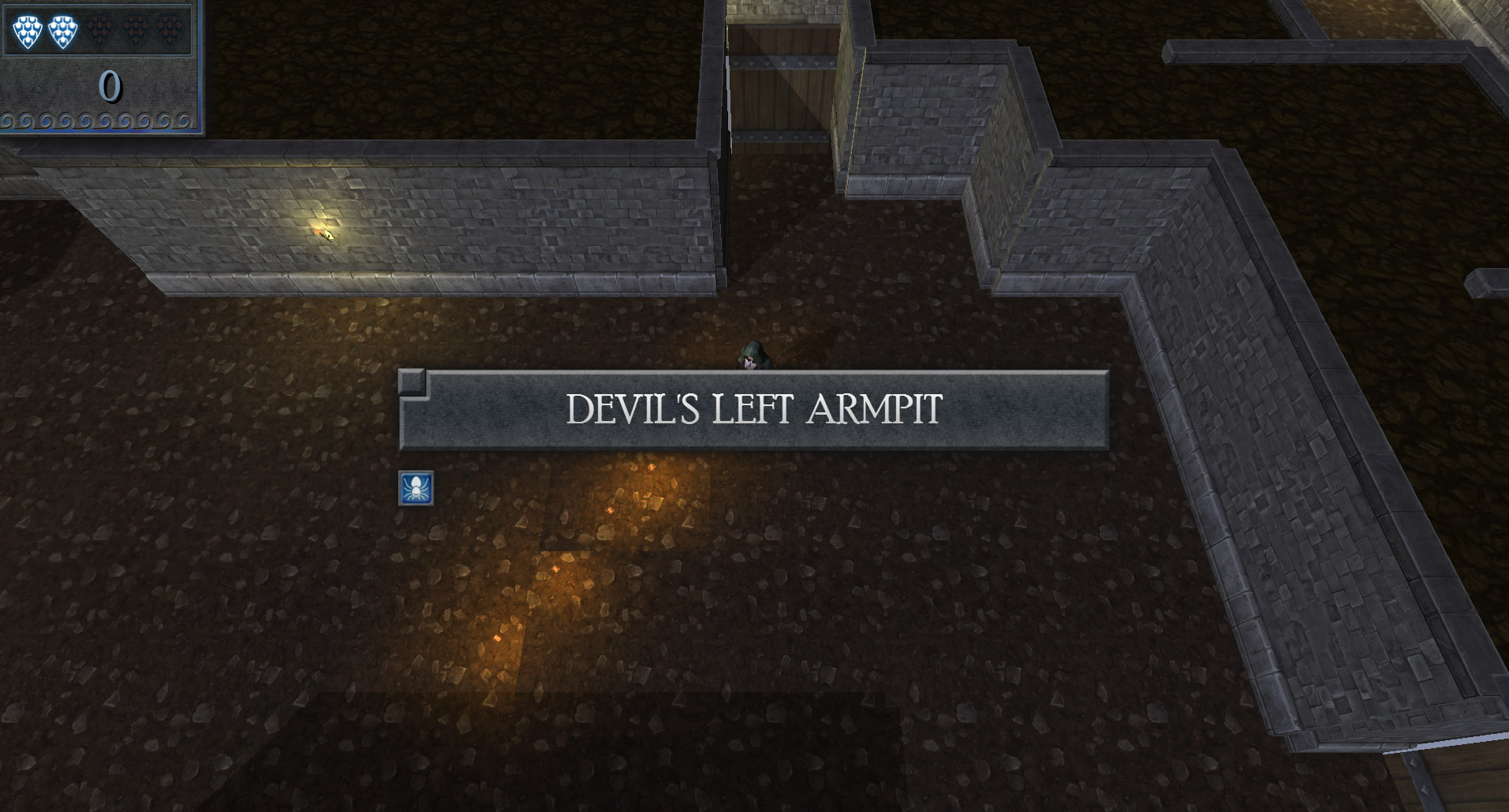
The beginnings of a simple UI are falling into place, when a room starts, the room title and the challenges in it (spider icon this month) appear for a bit, and there’s a kill counter and the beginnings of a re-spawn counter (shields). Some odd issues with them not scaling properly sometimes, but eh. That’s manageable.
But, the biggest news is clearly that the entire play cycle is in place, player life, death, respawn and restart all appear to be marginally functional.
So to that end, I’ve built if out as a Unity Web Player. So if you’re so inclined you can, try it here:
As usual, feedback/bug reports etc is welcome.
The time to do this game has come. So it’s gonna be done right. No more Torque2D, Slick, or other homegrown from the ground, unproven frameworks. Time to do it in something that’s got support, community, a track record and a workflow. Aka Unity. And while we’re at it, let’s make it 3D, physics enabled and extensible by the user to add new rooms to the pool of maze chambers.
And let’s do it as part of this year’s OneGameAMonth Challenge to keep focused.
 Oh and a list… let’s do a milestone list:


So 2013 by all accounts was a pretty good year.
I managed to get 4 games made. 3 of them nice enough to show to the world,
Android development with libGDX and Spriter, IAP, and in Game ads.
Then I touched Unity, and having spent 11 months doing low level things it’s starting to grow on me. I still have ‘trust’ issues with letting the engine decide how to render things, but it seems to be doing everything I can throw at it.
OneGameAMonth was a success as well, the focus on small things really helped figure out what can be accomplished in a month.
In fact I’d say that that was probably the best takeaway that I learned in 2013.
A month, is not a lot of time. Add in an active family to help raise (play with), freelance work, and a very full time job and I can measure game development in hours per week. So the games I actually finished in a month were actually in the 40-50hr range, so a LD48 game a month essentially.
I’m pretty proud of Candy Goblin and War Mages, they’re pretty entertaining, but I really think that they could use another 6 months of polish to make them good. War Mages might get that at some point, but really, if I only get 400hrs (optimistically) of development time a year, spending them on a project I’m not REALLY excited to be making feels wasteful. So It’s time for a bit of focus and revisit something that I’m excited to create!
Luckily in 2014 1GAM has expanded to where playable milestones qualify, which leads me to the next post 🙂

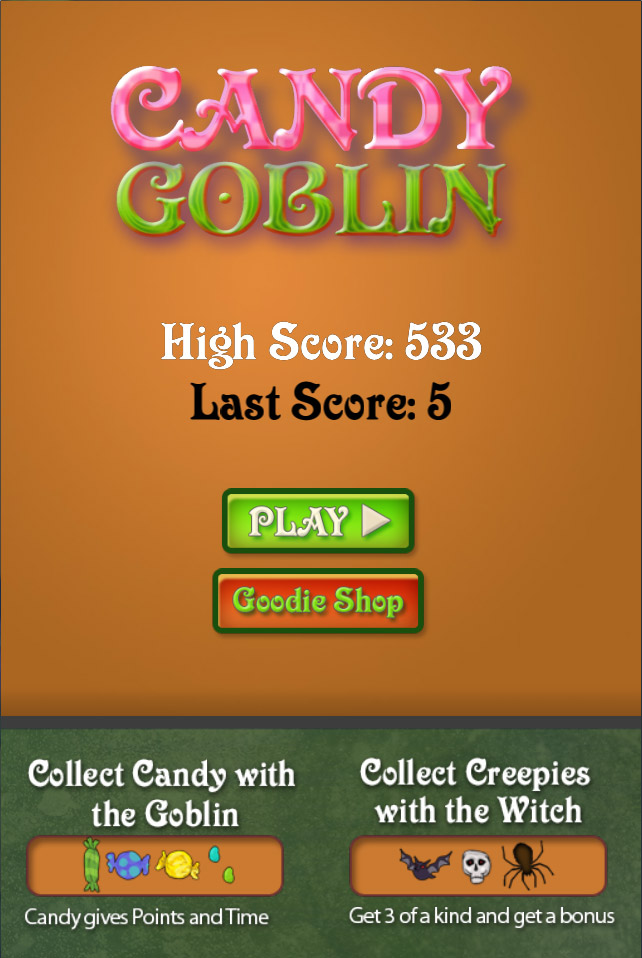
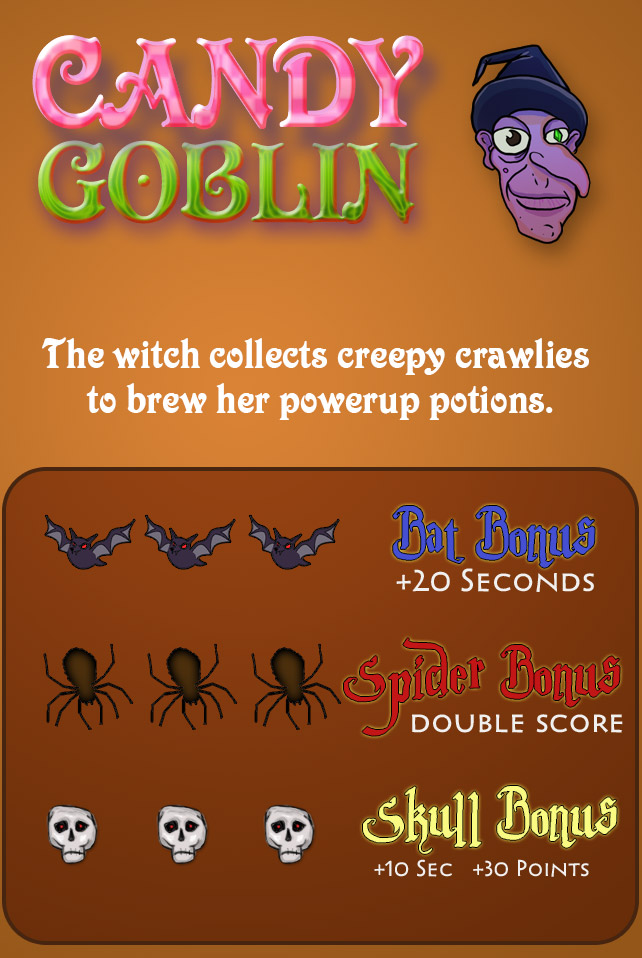
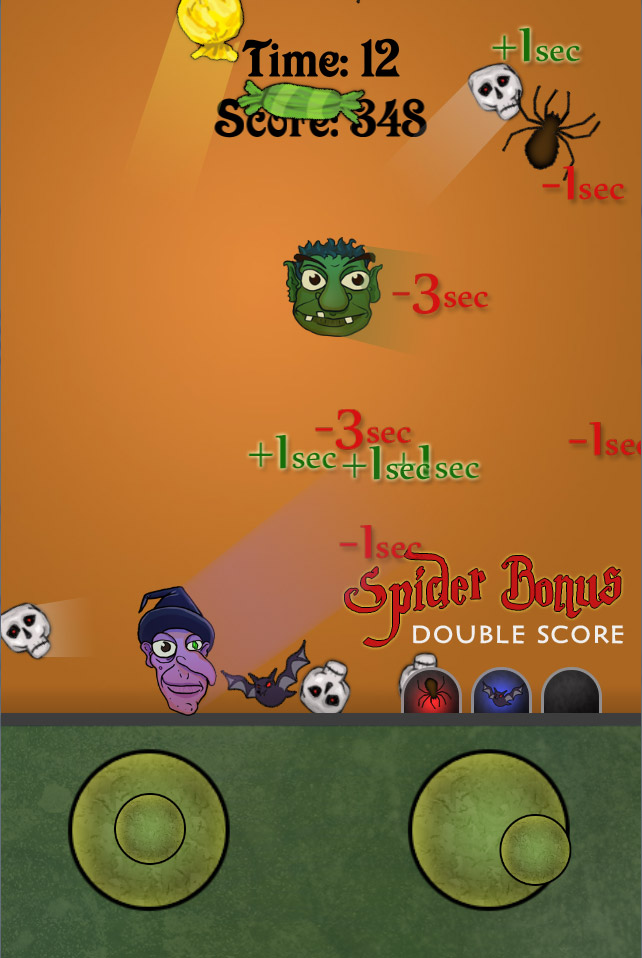
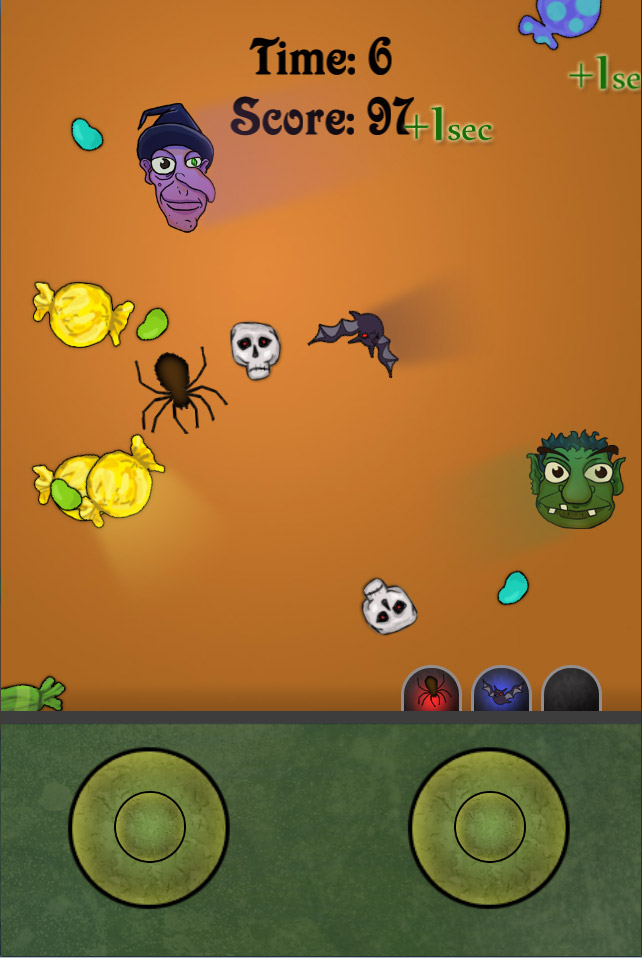
Just in time to Hit before Halloween Candy Goblin is OUT!
PLAY IT HERE (android)
 |
 |
 |
 |
UI! That’s right, with a little love I managed to get an in-game UI working for the basic play button (shop does nothing yet) I also got the fundamentals of the in-app options set up and much more, but it’s not really anything that you can see..

After that, I went back and did a minor re-factoring of some of the War Mages will have a few more changes being made this weekend for the beginning of the challenge/training levels. I hope to have that ready for publishing next week.
And finally, it’s been too long but it was beyond time to just play in photoshop for a bit. Granted it suffers from not having a reference and I really should re-work some parts, I’m pleased overall.

That’s it for this week’s update.
Whoo, I love me some 3 day weekends! Here’s a video of what’s new.
New Features: (bulleted list version.. it’s late, sorry)
Overall, I’m extremely pleased with this for less than a week’s worth of work. (granted it was a holiday weekend and I got the lovely and understanding Wendeflonia to cover for me for the day from the kiddos and I got to spend 8+ hours on DragonCrash today)
More goodness soon.
So after a long 5 days of rebuilding, tweaking and altering things, I’ve finally wrapped my head around the oddness that is separating the screen size, world size , UI size and image sizes around what is clearly the ‘proper’ way. Along the way, I’ve come to terms with the LibGDX Orthagonal Camera and the Box2d default renderer, all of which means in short english words.
I have a physics engine and an infinite scrolling dynamic world and I’m not above launching fireballs at it.
[Warning PLACEHOLDER ART!, you have been warned]
Seriously.. how cool is that 🙂 .. Hopefully I’ll have a complete vertical slice of gameplay by next week!
The game runs at 60fps on my old HTC MyTouch so far.. even when launching 10 particle laden fireballs bouncing across the landscape.
Now let me bore you with some details and gotchas that drove me batty for a while.
If you create your Box2d world and you just cant get things to move fast en0ugh, your scale is too big, there’s a hard coded limit in box2d on how fast things can go.
Now your first reaction is.. well that’s ok I’ll just use the camera and zoom in to a smaller area.
And it won’t make a damn difference, because even though you’ve zoomed in.. Your physics bodies are still too big. and you’ve just altered the difference between the camera scale to the physics world scale. You have to go in and change the size of things being created in the physics world and convert them to camera sizes.
Make yourself a Handy Static called something like int PIXELS_TO_METERS = 32; (adjust the scale if you need)
and divide all your physics values by that.
Good now set your camera to something like the size in Meters that you want to display (excellent Guide & Comment Here: http://www.aurelienribon.com/blog/2011/04/logic-vs-render-separation-of-concerns/ read the article and the 1st comment)
But now all your Sprites are GINORMOUS!
So you scale them with SetScale(float)
and then they disappear….
That’s because they scale around their Transformation Origin, You can use SetSize(x,y) and it will keep the lower left point the same.
Here’s some other handy links that I found invaluable during this process
That’s it for now. Time for some sleep and then hopefully adding collisions between the ground and dragon soon.
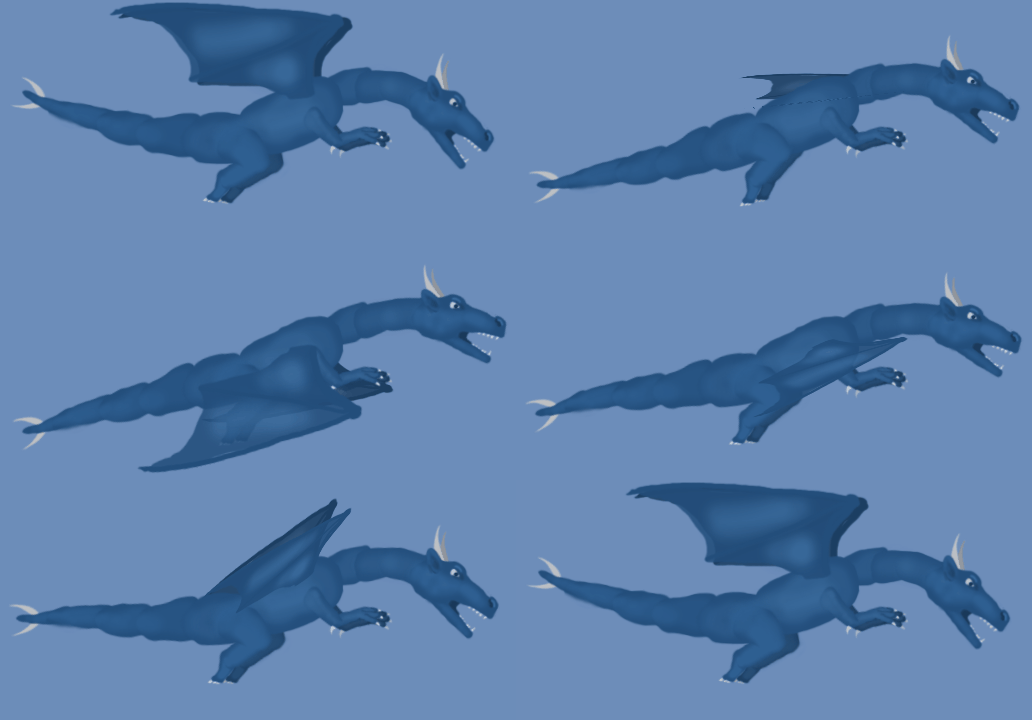
Almost forgot that Spine offers an export to animated gif.
Now just need to do a limb pass on the animation and I’ll let it be done for the next while.
However the actual sprite art, is still just a 20 minute hack job in photoshop. Not gonna make any final art until I have a vertical slice working.. That’s my reward for doing the tedious UI stuff.
Wow have the last 3 months been full of everything but gamedev time! Family vacation, massive rush freelance website, day job trips and then the 4th of July. Whew!
It took a week or two but the house is finally in order, and life seems to have settled down for a nice change. So gamedev is totally back on track!
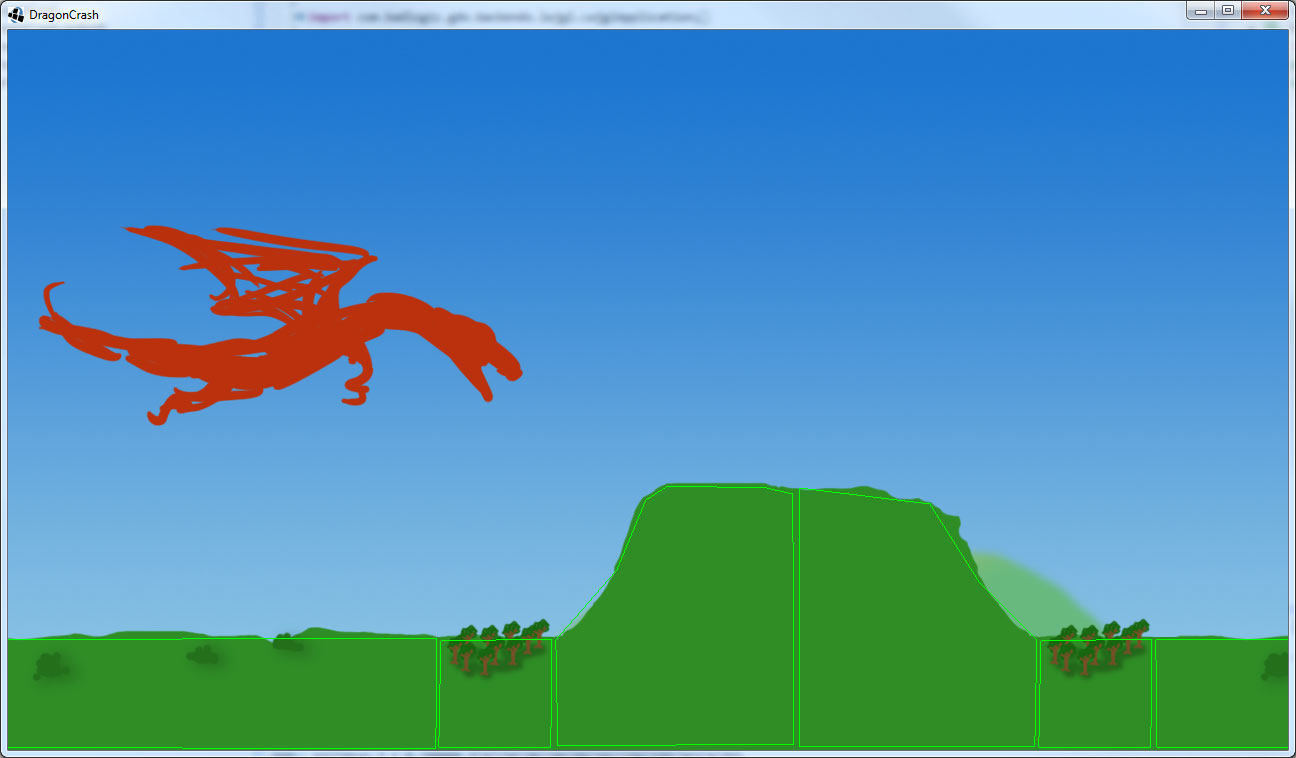
Here’s DragonCrash 🙂

And a Screenshot!
So, the industry has been in a massive race to the bottom.
Congratulations… here we are… Free is the new zeitgeist.
Now we’ve ground that to ground and the top titles are ‘pay to not play’, ie buy shortcuts to unlock things that you can normally get to by playing, but game-play is made to be so repetitive and grindy that people would rather pay money than play more. So the lifetime play of those looks something like this:
Now the trick is to space the first few unlocks close enough where the player can get them all in a session or two, probably without paying, then the player is already invested heavily and has had several endorphin rushes of ‘winning’. (no really, go research slot machines and emotional feedback mechanics, systems for building compulsive behavior etc… it will creep you out when you play a facebook game again)
Now you can start to increase the grind amount between major unlocks. The goal is to gradually increase the required tedium to the point where the user starts investing real money. And once they start investing money, the difficulty in getting them to spend again decreases dramatically. Once the user is all worn out and spent, you’ll hopefully have their email address / fb profile etc… so you can cross promote your next game with the ‘From the makers of….’ which will hopefully immediately spark the flashback to the original 15 min.
I think that sucks.
Well.. that’s a tough question. Because games are everywhere, in greater supply than any user could possibly ever play. Add in the long tail, and that’s only going to make things harder and harder in the years to come.
For example:
Why play a $15 indie title when it’ll be on a Steam sale for $3.74 soon. (Today, it’s the wonderful Orcs Must Die 2) .. but wait why play that at all.. when you can play last year’s AAA title that you missed for $14.99 (today it’s the Complete Prince of Persia pack (5 AAA titles))
The answer, I think, lies in : investment, involvement, community and marketing.
Go play the first chapter or 2 of Telltale’s awesome and gripping Walking Dead. We need narratives that players can get themselves lost in. Even better than telling gripping narratives are narratives that they make themselves. Ask someone about their favorite Minecraft experience. Everyone has one, Minecraft is NOTHING but a player investing themselves completely in a world that’s receptive to it. We’re lucky that Mojang has been great and not added mini expansions/addons/IAP because you know that it’s got to be tempting and would have been wildly successful… The days of running down a hallway and shooting things with little to no narrative for the user to invest in, well.. you’ll be competing against every game that’s come before you and they can come in at a lower price point than you, because they’ve already made their money back. Make the player feel like they’re in charge of something they care about and they will stick around.
Alpha sale, Kickstarter, Pre-orders with Beta access. Here’s a not-so-secret, Everyone wants to be a game designer. (That’s because they don’t know what it really entails) Involve players in your process, anyone remember alpha release Fridays from Notch? How about hanging out in the Elemental alpha access forums? Everquest beta? Engage your customers.. Now the hard part is getting them in the door in the first place.. but it’s not that bad…because when you empower a user, they feel special and unique and THAT is how things go viral, when a person can show their friends that they have something cool, unique and special you just can’t get them to stop talking about it. It takes time, (ask Notch about how hard it is to keep up with community expectations) and you have to be out there available for critique and since it’s the Internet, it comes with some serious bile.
World War II Online has members who keep their subscription active, entirely because they love the community they have built. Second Life would have sputtered out years ago if it hadn’t been because of the ability of users to create sub-communities in the game. Natural Selection2 would never have been released without their community coming together. League of Legends, Dota2, StarCraft all have strong user<–>user community interactions. However, building a community is usually the RESULT of having a great game, so it’s the best way to sustain a title.
With every game ever made having the exact same priority in the marke place compared to your title what’s the easy way to stand out? That’s right, throw money at it. It works, ask Cliffski at Positech.. The above methods only work if you have eyeballs on your game. Now, marketing isn’t a bad word.. really. And it comes in all shapes and sizes. From Blog posts, to banner ads, to asking for feedback from Gamedev.net it’s ALL marketing.. Every Tweet you ever do .. that’s marketing.. Even if you’re not selling a specific title, you’re generating interest in you. And then, when you have something REALLY important to say, you want to be able to focus as many eyeballs as possible on it as fast as possible. Think of Marketing as being the Shock Paddles and your game is your Frankenstein.. The above elements will let it grow strong and tall, but without an initial shock, chances are you won’t even get a toe to twitch.