Post

Stalls, Inertia and Progress

I’ve followed a ridiculous amount of indie and small developer projects over the last couple years and watched them just peter out and vanish into the ether.  Hell, I’ve started quite a few that have gone the same way.. unfinished paintings, games, websites, etc.  So why does this keep happening?  What can we do about it?

Well.. It seems to be all about preventing Stalls and building Inertia to make manageable Progress.

Stalls

By ‘Stalls’ I mean it literally like a plane..  Sometimes projects get caught up on a glitch, bug or feature that is unexpectedly problematic or simply a massive chore to complete.  Then the motivation to work on it stops being fun and an awful lot like work.  That’s not a problem if it’s your day job, you can button down and just work through it, but for the indie developer who is doing this in their spare time, once development stalls everything else starts looking more and more interesting and exciting. The longer the project remains stalled the stronger the chance is that the project is going to crash and burn.

So here’s a couple thoughts on recovering from when your project seems to be stalling and the enthusiasm is waning that seem to be working for me.

  • in my task list, I keep several parallel development tracks.  So if UI development gets bogged down, I can simply just get it to a basically compiling state and hop over and work on something else in the project, like art assets , AI or path-finding.
  • but sometimes you just get sick of the whole project.   If you’re like me, you keep running across things/tech you want to try and work with, so keep a folder/binder/google doc around where you can jot down ideas for short exploratory exercises however it’s essential that they pertain to some shared functionality with your ongoing project.  So give yourself a day or two to work on it (like making a demo with a new api or skinning a UI library or something) Then force yourself the next day to IMPLEMENT it in your current project.
  • but some times you simply have to force yourself to sit down and bite the bullet.  Schedule some time, get away from distractions and simply sit down then work through it… yeah sounds stupid, but the ‘Schedule some time’ part is what makes this the hardest approach.  Which brings me to the next problem

Inertia

The fact that this isn’t a dayjob for many indies it means that life can sometimes turn the smallest molehil into a mountain, because Everything is a competition for your time, and the rolling rock of your project can’t go uphill very far on its own.  So we need to build up momentum in our project, make it feel like it has got a life of its own or decrease the amount of work it takes to get it rolling again once it comes to a complete stop.  Because, your time is precious and limited (even more so when you start having to work around a family life and maintaining a home) I tend to lean heavily toward the second approach, decrease the amount of effort needed for the next milestone.  I can imagine that the first approach would work well if you have a small team where everyone is all rushing forward together, so when one person stumbles the ball keeps rolling along and lets them catch up after their personal disaster has passed.  However I’m just me by myself so my tips lean toward:

  • Get your project compiling as early as possible.
  • Add basic core gameplay as soon as possible.
  • Build you milestones on that and make them each a standalone ‘functional’ improvement.

Because, sooner or later, something is going to come up and you’ll have to step away from your daily progress for a week or two, like children, broken computers, holidays, family vacations, household chores etc etc.  And when you come back to having time to work on your project you gotta hop back on the ball and be able to easily see where and what to do so you can get to that next ‘hey I’ve made something cool!’ moment and prevent yourself from stalling out.

Progress

Progress is king.  Progress also doesn’t like being kept in the corner. Getting your project to a point where you can shout out about your progress, via tweets to #screenshotsaturday, self serving blog posts like this, friends and family on Facebook, myspace, g+ or whatever is essential. Take pride in your progress. Get used to practicing saying in public that you’re working on something, have made progress and show it off.  Make it real to you and it will be that much harder to drop when the new toy sheen tarnishes and you have to spend a week debugging the text editor.  It seems almost impossible at times and the odds of actually finishing something really are stacked against you but it can be done.  And with great success.  MinMax did it over a period of two years,  CokeAndCode is doing it, RampantCoyote has done it,  all of them with keeping a dayjob, family and real-life’s responsibilities.

I hope to do it too.

[deleted a bunch of excuses for my lack of progress.. lets just chalk it down to life's little mountains]


Third Time tis the Charm

Ok, needed a bit of a fresh mental break from typing and numbers for a day or two so I started the beginning of the large pile of character protraits that I’ll need to make (somewhere between 10 – 50)   That’s the joy of doing things as an indie developer.. I can put on whatever hat I want to today.  Granted at some point I’ll have to put on the businessperson hat and then it’ll not be so much of a joy.. and when time comes to put on that 400lb steel and barbed wire hat labelled accounting I’m sure it will be no fun at all.  But today… today I’m wearing a paint spattered cartoony beret.

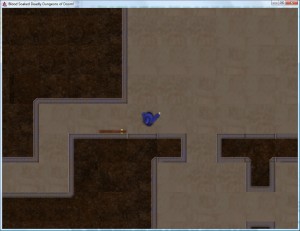
Oh and I also got a large chunk of the UI implemented.

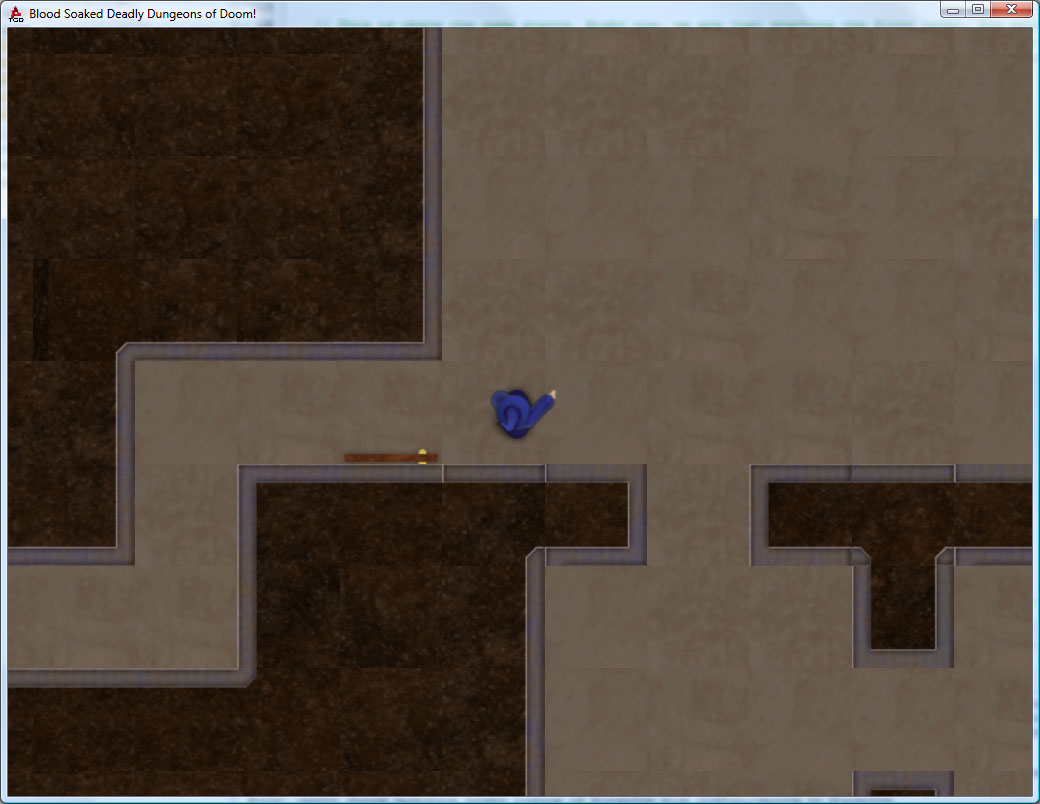
Looks a lot like yesterday’s post?  Well it should.. except this one works and lets you scroll the map etc etc.


Bits N Bobbins

Short post on progress things.  Things have just been lots of grunt work and non pretty things.

Will have things to show real soon.

Honest.

  • basic player object ..er.. exists and rotates properly.. mostly.  need to knock out some better test sprites and stuff to be able to make things actually ‘work’ together, but the fundamental concept of 8 direction independently moving head, torso, arms, lowerbody seems to work and will look pretty cool.
  • monster entities can be spawned and basically kept track of.. no AI or whatnot but still it’s a start.
  • Implemented basic box2d physics for player and monsters. this will have all sorts of fun payoff later I hope. Force waves, shapnel etc :)
  • Got the macro tiles wired for a* pathfinding.
  • Got the World generating a Maze and then replacing it with matching macrotiles that randomly match the exits of the cell.
  • started on map rendering
  • camera instance screen objects so I can have a smooth moving controllable camera that chases the player.
See.. lots of neat stuff… however nothing that you can actually look at other than a bunch of  diagnostic log output.
Performance wise it seems to be running at ~240 fps on the low end test machine and ~somewhere over 3,000 fps on the new machine.
So I might need to add in a ‘laptop’ mode which disables the whiz bang pretty stuff I hope to get put in.
and damnit .. http://www.garagegames.com/products/torque-3d the introductory price will be ending soon.
So I’ve got to grab that soon.

Building Better Tools

So, basic progress is in swing.  There’s a bunch of stuff I can port over from the GarageGames Torque Game Builder version that I was working on, however, there are a bunch of things that I didn’t need then or just do not have access to in Java or just don’t integrate with Slick very well.  So with that in mind.. I’ve been digging  into Pre-Pre-Production.

To that end I’ve stated building a toolbox. Figuratively, of course.  Here’s a few of the silly things  that are a pain to write but very useful to have.

  • AssetLoader – based on the slick tutorial this little thing lets me have a loading bar on a title screen while the game loads every asset it needs.
  • OptionsController – manage loading and saving user settings and profiles for resolution, sound, and player name.
  • InternetFile / InternetString – for pulling a string (current version) or file (updated assets)  This makes keeping the user informed of latest news/ updated versions a snap.  Since Minecraft came out with an auto updater, it’s been glaringly obvious that at minimum having a latest version check is a MUST Have feature.
  • Movement Library – a pile of functions to take two points, and interpolate between them,given a method speed and time elapsed and whatever else that comes up.  I expect this to grow for some time.
  • ImageCounter widget – display a number with a series of images. Like hearts in zelda. Supports horizontal and vertical orientation, whole and partial increments etc.
  • Basic Image Button – yup it’s a simple little button made out of a bunch of images, it’s self contained and easy to use and change.
  • State Based Button – also called a modal button.  Essentially displays several options on a button bar and you can select one.
  • Text Block – an angelfont based text block widget , hand it a block of text, an AngelFont, and give it a max size.  It auto animates the display, pagination etc.
  • Text Entry – an angelfont text entry widget.  easy and simple..
and as I find things that would be handy in future projects I’m adding them to it.
So it turns out that making little widgets is actually really kind of fun.  Much like building the IrisEdit level builder tool that I’m using to build the levels.
And with those tools in hand, I’ve created the game Launcher / Version Checker,  Here’s what it looks like without the Launch Game button (it goes in the middle)


Setting sail against the winds of whim and staying the course

Wooosh… that’s the sound of another gale force great idea blowing around.
Yup, they’re pretty much everywhere at this time of year. Annoying, persistent, unformed, and generally really exciting!

The thing is, they’re always much more exciting and enticing than what you’re doing ‘now’. Especially if what you’re doing now is rewriting something you’ve done before, in a new engine. In the last 3 weeks I must have changed my mental description of what I’m working on half a dozen times. Each new project, idea, or whim is a terrible distraction that’s so much fun to just dive into.

Because for me the best part is the initial rush of putting ideas and framework into place and start various parts gestating. So when I haev nothing but a couple months of grunt work (asset managers, re-inputing pathfinding algorithems, importing graphics, dealing with text input etc) it is so easy to want to start over and tackle an enticing problem and find out how various systems would interact.

Hell, at this point I’ve practically convinced myself to ditch BSDDoD! and hop into making ‘Irismel’ – the fantasy village simulator instead.  I’ve even started making some basic tiles and mock screenshots.

That’s gotta stop.

It’s time to get excited about BSDDoD! again.  So I’m laying off the big coding for a bit and painting some assets, concept art and visually interesting things.

The upside is that I’ll have things to show before too long and I can get the show back on track.

I am, however, thinking of changing the title from Blood Soaked Deadly Dungeons of Doom! to something more palatable and url worthy.


Follow us on Facebook
Calendar
May 2012
S M T W T F S
« Apr    
 12345
6789101112
13141516171819
20212223242526
2728293031  
Archives